Cat5e vs Cat6 vs Cat6a: Which Cable for Wi-Fi 7?
To get full speed from a Wi-Fi 7 access point, match the cable to its Ethernet port. A 2.5-gigabit port, which many Wi-Fi 7 access points have, runs the full 100 meters (328 feet) on Cat5e that tests clean, so the cable already in your walls may be enough. A 5-gigabit port calls for Cat6. A 10-gigabit port needs Cat6a for the full 100 meters; Cat6 carries 10 gigabit only on shorter runs, up to about 37 meters (121 feet).
If you're running new cable, Cat6 covers what most houses need. In a home, our standard Cat6 run is $499 for up to 300 feet, and it includes everything for that cable: the wall jack and faceplate, connecting it at the patch panel, sealing the holes it passes through, and testing and labeling it end to end.
Cable is the part of a network that's hardest to change later, so it's worth wiring once. Here's which cable carries which speed, how to read what's already in your walls, and what we charge.
Cat5e vs Cat6 vs Cat6a compared
| The access point's port | Cat5e | Cat6 | Cat6a |
|---|---|---|---|
| 1 gigabit | 100 m (328 ft) | 100 m (328 ft) | 100 m (328 ft) |
| 2.5 gigabit | 100 m (328 ft), if the run tests clean | 100 m (328 ft) | 100 m (328 ft) |
| 5 gigabit | May work, but it has to be tested | 100 m (328 ft) | 100 m (328 ft) |
| 10 gigabit | Not rated for it | About 37 m (121 ft) | 100 m (328 ft) |
Where those numbers come from:
- 2.5 and 5 gigabit. IEEE 802.3bz, the Ethernet standard for these speeds, set out to run 2.5 gigabit at least 100 meters on Cat5e and 5 gigabit at least 100 meters on Cat6. Cat5e is rated to 100 MHz, and 5 gigabit needs performance up to 250 MHz, so on Cat5e it works only if the run holds up beyond what the cable is rated for. Long, tight bundles of cable can fall short on Cat5e and Cat6.
- 10 gigabit. Guidance from the TIA, which writes the US cabling standards, says 10 gigabit should run up to 37 meters on Cat6. Cat6a is built for 10 gigabit over the full 100 meters.
- The distance is the whole path. The 100 meters is measured along the cable, counting the patch cords at each end, so keep the part in the walls to about 90 meters (295 feet). A cable goes up, over and down, so measure the route, not the straight line.
Which cable does a Wi-Fi 7 access point need?
It depends on the port, and Wi-Fi 7 gear comes with several speeds. Look for the Ethernet or networking line on the maker's spec page. Some current examples:
| Wi-Fi 7 model | Ethernet port | Cable for the full 100 m |
|---|---|---|
| UniFi U7 Pro, U7 Pro Max | 2.5 gigabit | Cat5e or better |
| eero 7 | 2.5 gigabit | Cat5e or better |
| eero Pro 7 | 5 gigabit | Cat6 or better |
| UniFi U7 Pro XGS | 10 gigabit | Cat6a |
| eero Max 7 | Two 10-gigabit and two 2.5-gigabit ports | Cat6a for the 10-gigabit ports |
Each access point gets its own cable back to a switch or the router, so that cable is its whole connection to the network. Keep these in mind when you match them:
- A weaker cable can mean a slower link, or one that drops. Some gear steps down to a lower speed when a run can't hold the port's full speed. Other gear keeps retrying, and the connection drops.
- A faster cable doesn't speed up a slower port. A 2.5-gigabit access point runs at 2.5 gigabit on Cat5e, Cat6 or Cat6a alike, if the run is in good shape.
- The switch has to keep up. A 2.5-gigabit access point on a 1-gigabit switch port runs at 1 gigabit. Many Wi-Fi 7 access points also need PoE+ power over the same cable, so an older switch can hold them back or fail to power them.
- A desk works the same way. Match the cable to the computer's port.
- The cable isn't the only limit. Your internet plan still sets the ceiling for anything coming from the internet, and what a phone or laptop gets over Wi-Fi depends on distance and walls. For whether Wi-Fi 7 is worth buying at all, see Mesh vs Access Points for a Large House.
On a finished job in an older SW Portland house, four UniFi Wi-Fi 7 access points run on four new Cat6 runs, one cable each.
What cable is in your walls? Read the category printed on the jacket
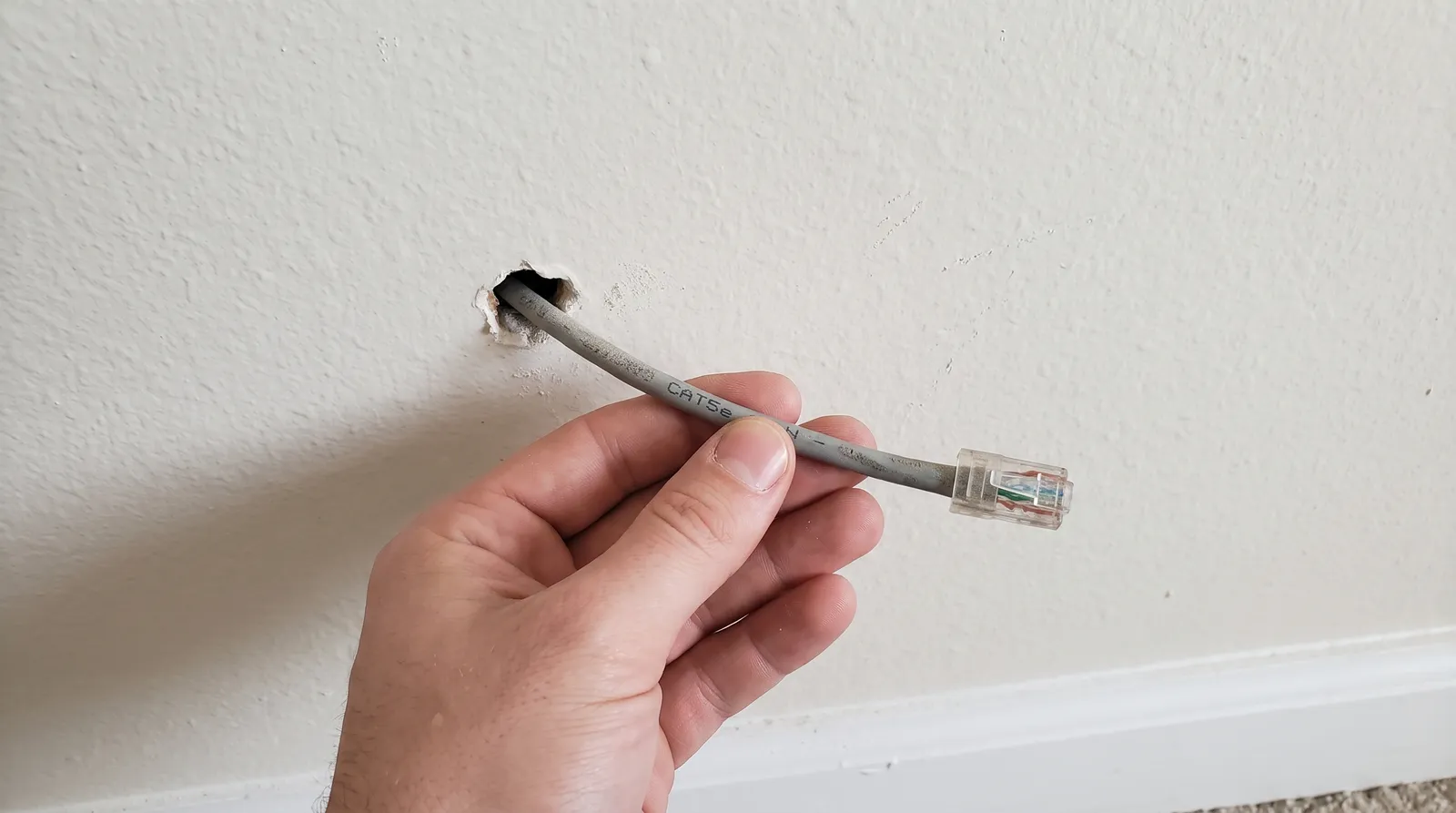
You can check what's in your walls before you buy anything. The category is usually printed right on the cable's outer jacket, repeated along its length.
- Find a spot where the cable shows. The easiest is where the cables meet: a patch panel, a closet or a basement wall. You can also unscrew the faceplate of a network jack and ease the jack out, as long as the box holds only network or phone wiring.
- Read the print. A flashlight and a phone camera help. Look for the category first: CAT5E, CAT 6 or CAT 6A.
- Compare it with your access point's port, using the table above.
- Check each run you plan to use. Cables in one house don't always match, especially after a remodel.
| Printed on the jacket | What it tells you |
|---|---|
| CAT 5, with no E | Older cable, rated to 100 MHz. Gigabit only if the run tests clean |
| CAT5E | 1 and 2.5 gigabit the full 100 meters, if it tests clean |
| CAT 6 | Up to 5 gigabit the full 100 meters, and 10 gigabit up to about 37 meters |
| CAT 6A | 10 gigabit the full 100 meters |
| CM, CMR or CMP | The fire rating: where the cable may be installed, not how fast it is |
| 24 AWG or 23 AWG | The thickness of the wire |
| 4PR | Four twisted pairs, which gigabit and faster need |
| CCA | Copper-clad aluminum. Belden, a cable maker, says it doesn't meet the UL and TIA standards, which call for copper conductors |
| CAT 3, or no category at all | Phone-grade or unknown cable, so don't count on it for Ethernet |
What the jacket can't tell you
The print says what the cable was sold as, not how the run was installed. The right cable can still come up short if it's daisy-chained from jack to jack like old phone wiring, never connected at the far end, or damaged along the way. Fluke Networks, which makes cable testers, says testing is the only way to truly know whether a run will carry 2.5 or 5 gigabit.
If you already have a 2.5-gigabit access point and a 2.5-gigabit switch or router port, there's a quick check: connect them over that run and look at the link speed in the app. 2.5 Gbps is what you want. If it settles at 1 Gbps, the run may not be up to it. If it shows 100 Mbps, suspect the cable or a connector: that speed uses only two of the four pairs, so one bad pair can leave a link that still works, only slowly.
Checking old cable is hands-on work, so it's our $399 service call, which covers travel and the first two hours. We trace each line back, put new connectors on both ends and test it. If the cable is damaged inside the wall, a new run replaces it at $499.
Cat5e vs Cat6
Both carry 1 and 2.5 gigabit the full 100 meters, so on many Wi-Fi 7 access points they perform the same. The difference shows above that. Cat6 is rated to 250 MHz and Cat5e to 100 MHz, so Cat6 carries 5 gigabit the full 100 meters and 10 gigabit up to about 37 meters (121 feet), and Cat5e isn't rated for 10 gigabit at all.
If Cat5e is already in your walls, it tests clean and your access points have 2.5-gigabit ports, new cable wouldn't make them any faster. If you're running cable anyway, Cat6 leaves room for 5 gigabit, and for 10 gigabit on shorter runs.
Cat6 vs Cat6a
Cat6 covers what most houses need. It carries 2.5 and 5 gigabit the full 100 meters and 10 gigabit up to about 37 meters (121 feet). Cat6a is rated to 500 MHz and carries 10 gigabit the full 100 meters, but it's thicker and stiffer, so it's harder to pull through old walls, and it costs more.
Cat6a is the better fit when:
- A 10-gigabit access point, switch or desk sits on a run longer than about 121 feet.
- The walls are open and you want the most margin. Cat5e and Cat6 have no limit set for noise from neighboring cables, which gets worse in long, tight bundles, and Cat6a does. The TIA's 2017 bulletin on 2.5 and 5 gigabit, TSB-5021, recommended Cat6a for new installations.
Cat6 is the better fit when:
- Your access points have 2.5-gigabit or 5-gigabit ports.
- The route is tight, such as an older wall or a narrow path between floors.
A house with a few cables is a much easier case than an office ceiling full of them, which is why Cat6 still covers most houses. We run Cat6 to each access point, and Cat6a or fiber where the house calls for it.
Cat5 vs Cat6
Cat6 is the faster cable by a wide margin. Plain Cat5, with no "e," is an older category rated to 100 MHz, against Cat6's 250 MHz. Gigabit Ethernet was designed to run on it if the run passed extra tests, but the 2.5 and 5-gigabit standards start at Cat5e. The TIA has recommended Cat5e as the minimum since 2001.
A Wi-Fi 7 access point may still work on plain Cat5, but nothing promises more than 1 gigabit. If you want its full port speed and the run won't hold it, a new Cat6 run in a home is $499 for up to 300 feet.
People often say "Cat5" about any older network cable, so read the jacket before deciding. CAT5E and CAT 5 are different cables, and that one letter is the difference between a cable that's specified for 2.5 gigabit and one that isn't.
What it costs to run Cat6
These are our rates for homes; an office is quoted on its own.
- A Cat6 run: $499 for up to 300 feet, including the wall jack and faceplate, connecting it at the patch panel, sealing the holes it passes through, and testing and labeling it end to end. A longer run costs more and may need an extender partway.
- A device at the end, such as a Wi-Fi access point: $99 to mount it and $99 to set it up, plus the device.
- Cat6a and fiber: we install both. We don't have a standard price for a Cat6a run, so it's quoted per job.
- A harder route: if a route turns out harder than expected, we tell you on site, and the price can go up a little.
How we route cable through older houses, plaster walls and old jacks is in How to Run Ethernet Through an Older House.
How we'd handle yours
- Free walkthrough. Around Portland, we walk through the house with you, take photos, talk through what needs a cable and where it could run, and recommend what we'd do. It's a consultation, with no hands-on work.
- A fixed-price quote, usually with a few options side by side.
- The install. Most of our networking jobs take one to two days. Each new run is tested end to end and labeled.
- After it's in. Labor carries a 90-day warranty, and Velara Care, our support plan, starts at $99 a month.
We're a licensed, bonded and insured low-voltage installer (Oregon CCB #256333, CLE #771), and we install Cat6, Cat6a and fiber across the Portland area: see Ethernet cable installation in Portland. Most of the networks we install run on UniFi: see UniFi installer in Portland and home network installation in Portland.
Questions people ask
Is Cat5e good enough for Wi-Fi 7?
Often, yes. Many Wi-Fi 7 access points have a 2.5-gigabit port, and Cat5e that tests clean carries that the full 100 meters (328 feet). It isn't rated for a 10-gigabit port, and 5 gigabit on Cat5e has to be tested.
Do I need Cat6a for Wi-Fi 7?
Only for a 10-gigabit port on a run longer than about 37 meters (121 feet). Cat6 carries 2.5 and 5 gigabit the full 100 meters. Cat6a also gives you the most margin if the walls are open and you're running new cable.
Are Cat7 or Cat8 better for a house?
Not in any way a house can use. Cat6a already carries 10 gigabit the full 100 meters. Panduit, a cable maker, says Cat7 offers the same performance as Cat6a up to 10 gigabit, the TIA doesn't recognize it, and its own connectors don't fit RJ45 ports, so a "Cat7" cable with ordinary RJ45 plugs performs at the level of the plug. Cat8 is built for 25 and 40 gigabit over 30 meters or less, mainly in data centers. The fastest ports on the Wi-Fi 7 gear named above are 10 gigabit. We install Cat6, Cat6a and fiber.
Will the cable already in my walls work with a Wi-Fi 7 access point?
It may. Read the category on the jacket and compare it with the access point's port. Cat5e or better that runs straight back to one central spot is a good candidate. The switch matters too: it needs a port at least as fast as the access point's, and enough PoE power.
Is Cat6 faster than Cat5e?
Only above 2.5 gigabit. A cable doesn't add speed; it sets how much speed the run can carry. At 1 or 2.5 gigabit, Cat5e and Cat6 perform the same over the full 100 meters when the run is in good shape.
How far can an Ethernet cable run?
Up to 100 meters (328 feet) end to end, counting the patch cords at each end, except 10 gigabit on Cat6, which is about 37 meters (121 feet). Our standard Cat6 run covers up to 300 feet; a longer run costs more and may need an extender partway. Beyond 100 meters, the usual answers are fiber or a wireless bridge.
Can I mix Cat5e, Cat6 and Cat6a?
Yes, they plug together, but a run is only as good as its weakest part, including the patch cords and jacks. A Cat5e patch cord on a Cat6a run holds that connection to Cat5e.
How much does it cost to run a Cat6 cable?
In a home, our standard Cat6 run is $499 for up to 300 feet, with the wall jack and faceplate, the patch-panel connection, sealing, testing and labeling included. Mounting and setting up a device at the end are $99 each. We install Cat6a too, quoted per job. Around Portland, the first walkthrough is free, and the quote after it is a fixed price.