Home Network & Wi-Fi Installation in Portland, OR
Home network installation for Portland houses where one router can't reach every room: older houses with plaster walls, houses with an upstairs and a basement, and yards, garages and guest houses past the edge of the Wi-Fi. We plan the coverage, run the cable and install wired access points.

Home Networking and Whole-Home Wi-Fi for Portland Homes
Most Wi-Fi trouble in a Portland house comes down to one router covering too much: an upstairs, a basement, plaster or brick walls, a garage. Access points fix that. Each one mounts on a ceiling or wall and gets its own Cat6 cable back to the network, and your phone moves from one to the next as you walk through the house.
Most networks we install run on UniFi: a gateway that runs the network, a switch where the house needs one, and as many access points as it takes. We also install Ruckus, Aruba and Netgear equipment, and eero mesh where it fits better. Cabling is Cat6, Cat6a or fiber, with a 10-gigabit backbone when the house needs one. Our jobs have ranged from high-rise condos and penthouses to multi-acre rural properties, and we pre-wire new construction. Here's how we install UniFi in Portland, with the prices.
Recent Job: Wi-Fi 7 in an Older House in the SW Portland Hills
In April 2026 we finished whole-home Wi-Fi in an older house in the SW Portland hills, with an upstairs and a basement. We ran four new Cat6 cables from the living room, where the network starts, to a bathroom closet, a bedroom closet, an upstairs office nook and the basement, and put a tri-band UniFi Wi-Fi 7 access point at the end of each. A UniFi gateway runs three networks: the main one, one for smart-home devices and one for guests.
The install took two days. The job came to $4,116.42 at our early-2026 prices: four runs at $599 each (a run then included mounting or setting up the device at its end), two wall jacks, the access points and the gateway, and small parts and tool use.
“Izaac at Velara knows his stuff. He did an advanced WiFi network installation in my older house, putting in new access points, all the while answering my litany of nonsense questions with patience and enthusiasm. He put things into terms I could understand and explained what the pros and cons of the installation options were. He also went above and beyond, helping me configure multiple networks in my house, a primary, an IOT network and a guest network. It was expensive but I am so grateful for his expertise, and wifi coverage in my home is finally reliable in every room.”
The line-by-line price and why this house got access points instead of mesh: Mesh vs Access Points for a Large House. How the four runs went through an older house: How to Run Ethernet Through an Older House.
Mesh Wi-Fi or Wired Access Points?
A mesh kit usually passes your data from unit to unit over the air, so the rooms farthest from the router depend on a wireless hop. A wired access point gets its own cable back to the network, so a far room doesn't. Where the cable can't go in, or the budget calls for it, we quote a mesh system too. For one house in October 2026 we quoted three options side by side: an eero Wi-Fi 7 mesh at $3,125.70, a faster eero mesh at $4,734.69 and wired access points at $5,625.72.
Ethernet Wiring for Older Portland Houses
A Cat6 run is $499 for up to 300 feet, with the wall jack and faceplate, the connection at the patch panel and an end-to-end test included. We route each run from the basement, the attic or outside, whichever the house allows. In a plaster wall we cut the jack opening with a multi-tool, so a run up a plaster wall is usually still $499, though an outside wall sometimes needs a larger cutout. We don't patch plaster. If a route turns out harder than expected, we tell you on site, and the price can go up a little.
Ethernet-only work in an existing house usually fits an electrical minor label, and we take care of the label or permit on our jobs. We're a low-voltage installer, so a licensed electrician handles any line-voltage work, such as a new outlet.
Wi-Fi for the Yard, Garage, Guest House and Dock
Outside, an outdoor access point does the work. It mounts on the house, gets its power over the same cable that carries the data (PoE), and covers the yard, a pool or a building it can see. In Lake Oswego, one on the Barretts' front balcony carries the Wi-Fi to their dock on the Willamette, about 200 feet away; not counting the cameras themselves, that job came to $2,846. For a building farther away, a pair of bridge radios links it to the house over the air. Bridge radios don't make Wi-Fi, so the far building also gets an access point: one full setup we quoted in October 2026 was about $2,560.
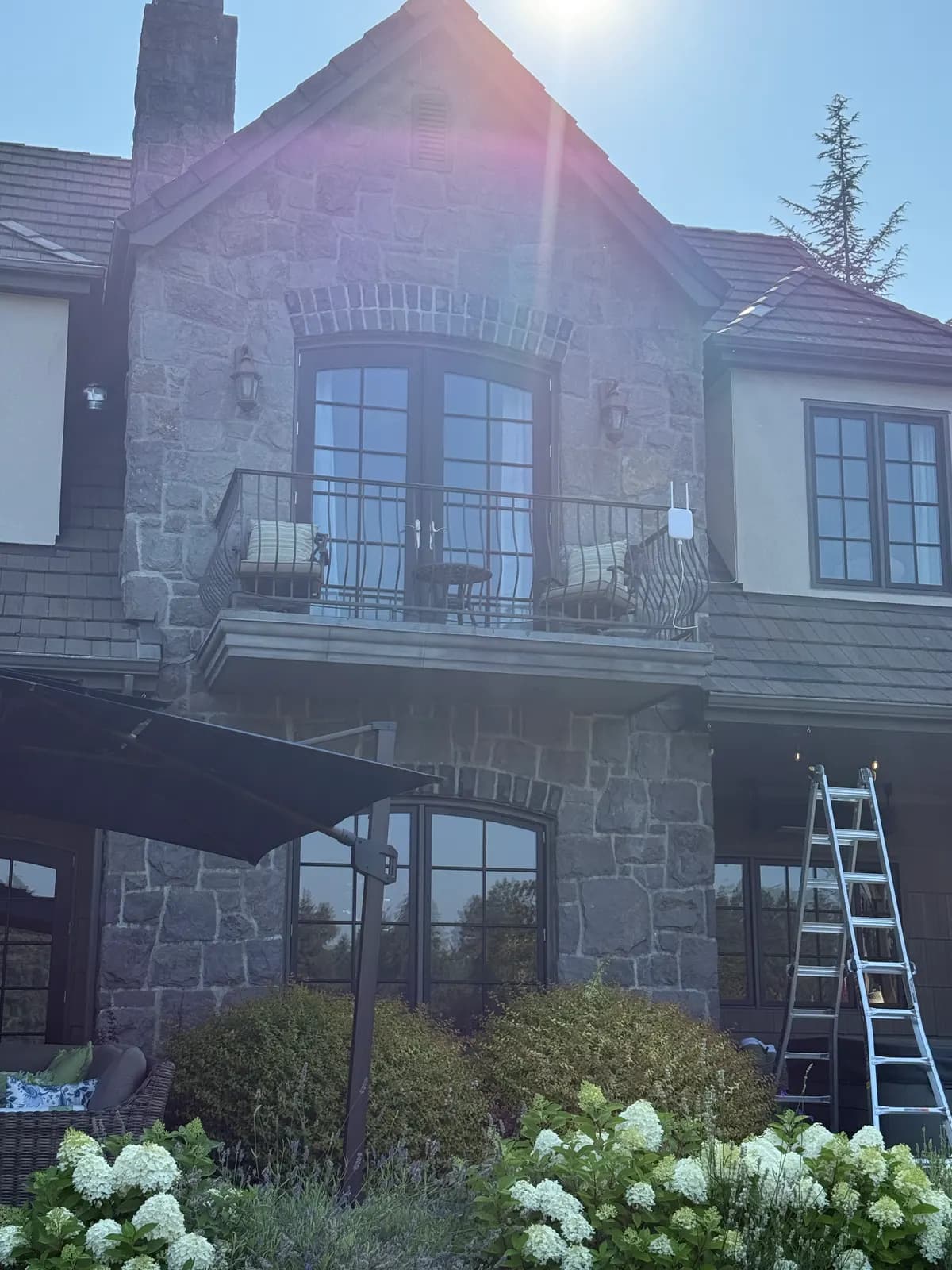
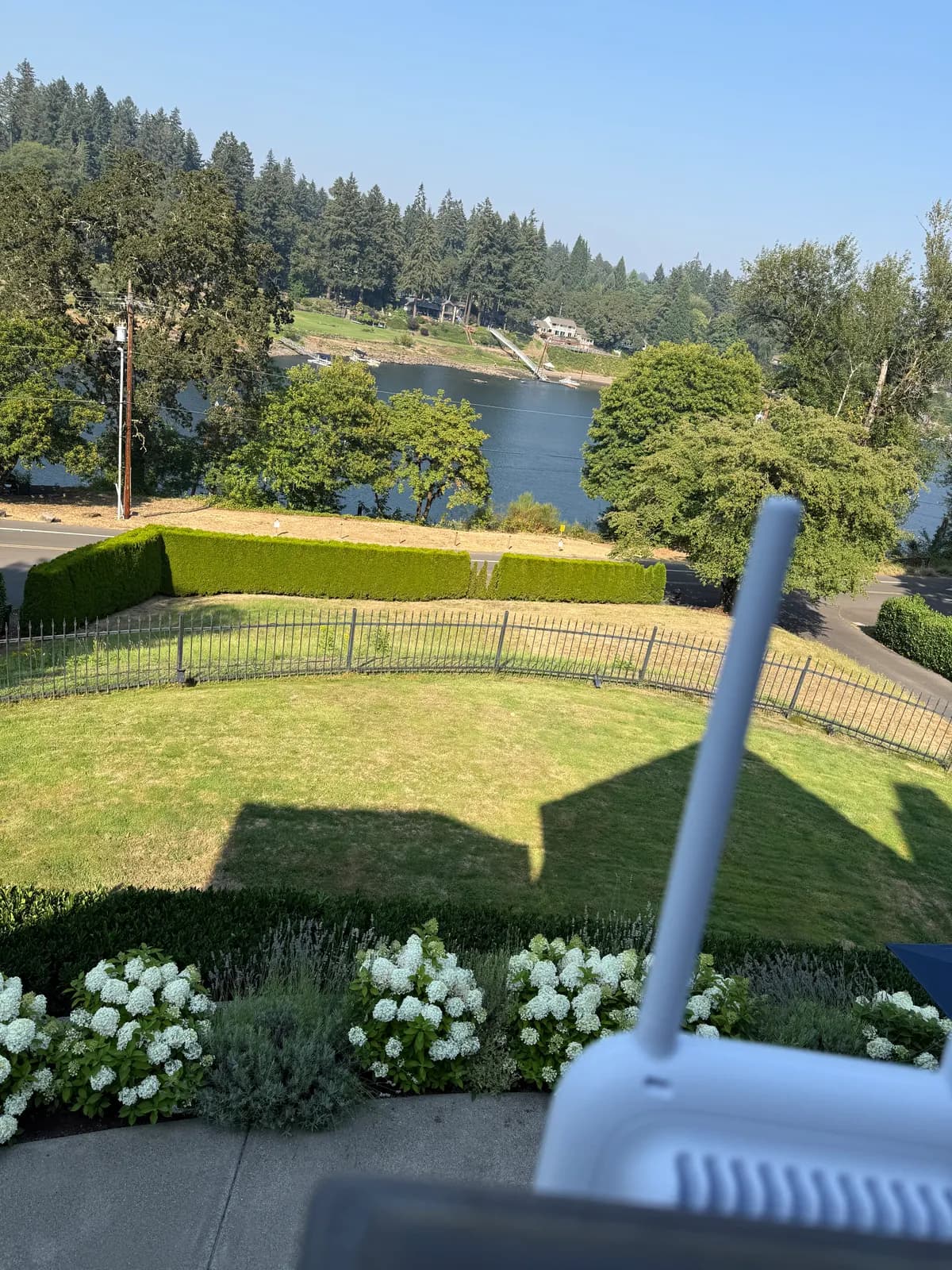
How to extend Wi-Fi to a detached garage, shop or guest house · The dock project, with every photo and the price
Separate Networks, VPN and Network Security
The gateway is also the firewall. We set up separate networks (VLANs) for smart-home devices and for guests, and on request one for work and one for personal use, so smart-home gadgets and visitors' phones stay off the network your computers use. We also set up remote access through a VPN, so you can reach your home network when you're away.
Home Network Installation Cost in Portland
Apart from the free walkthrough and our standard rates, these prices come from Velara's own 2026 quotes and jobs around Portland. Your home gets a fixed-price quote after the walkthrough.
| Job | Price |
|---|---|
| First walkthrough: we walk the house with you, talk through where the Wi-Fi drops off and recommend what to do | Free |
| Service call, our standard rate: hands-on troubleshooting (travel and the first two hours) | $399 |
| One new Cat6 cable run, up to 300 feet, with the wall jack and faceplate, the patch-panel connection and an end-to-end test | $499 per run |
| Mounting an access point or camera, and setting it up | $99 each, per device |
| One access point with its cable, installed, indoor or outdoor, in our 2026 jobs and quotes (the outdoor one, at $1,362, also included a gateway) | $602 to $1,362 |
| A mesh node: the node itself plus setup (when one node is the whole job, our standard $399 service call) | The node + $99 |
| Wi-Fi out to a dock in Lake Oswego (the Barrett job): gateway, outdoor access point and cable run, plus mounting and setting up two dock cameras (the cameras themselves not included) | $2,846 |
| A wireless bridge to another building, quoted in October 2026: two cable runs, the bridge pair, an access point for the far building, a new router and surge protection | About $2,560 |
| Whole-home Wi-Fi for one house, quoted three ways in October 2026: an eero Wi-Fi 7 mesh, a faster eero mesh, or wired access points (each relied on a $499 garage run, quoted separately) | $3,126, $4,735 or $5,626 |
| A finished whole-home Wi-Fi 7 job in the SW Portland hills, April 2026: four access points, a gateway and four new Cat6 runs, at early-2026 rates | $4,116 |
| Velara Care support plan, month to month (covers up to 4 cameras and 12 other devices; more devices cost extra) | From $99 a month |
How a Project Runs: Walkthrough, Install, Test, Support
- Free walkthrough. We walk the house with you, talk through where the Wi-Fi drops off and where cable could run, and recommend what we'd do.
- Fixed-price quote. Usually with a few options side by side.
- Install. We run the cable, mount the access points and set up the gateway and every device. Most networking jobs take 1 to 2 days.
- Test. We check the signal around the house and outside, where you need it.
- Support. Call us when something changes, or join Velara Care, from $99 a month.
What Clients Say About Our Wi-Fi Work
“Working with Izaac and the crew at Velara was a great experience. They did an excellent job networking my home in Mt. Tabor, installing Cat6 cabling, setting up my WiFi access points, and getting all of my devices connected and working together seamlessly.”
“Excellent work setting up a point to point WiFi and camera setup to watch the furthest end of our property. On time and very affordable.”
Portland Home Network Installation FAQs
How much does home network installation cost in Portland?
It depends on the house and how far the Wi-Fi has to reach. A new Cat6 run is $499 for up to 300 feet, with the jack, the patch-panel connection and an end-to-end test included, and mounting or setting up each device is $99. In our 2026 jobs and quotes, one access point with its cable, installed, was priced at $602 to $1,362. For one house in October 2026 we quoted whole-home Wi-Fi three ways, from $3,126 with an eero mesh system to $5,626 with wired access points, and a finished whole-home UniFi Wi-Fi 7 job in the SW Portland hills came to $4,116 at early-2026 rates. The first walkthrough is free, and the quote after it is a fixed price.
How long does it take to install a home network?
Most of our networking jobs take 1 to 2 days, including ones with four access points and a few cameras. The SW Portland hills job on this page took two days. Bigger jobs take longer.
Is mesh Wi-Fi or wired access points better for a big house?
Wired access points, where cable can reach them. A mesh kit usually passes your data from unit to unit over the air, so the rooms farthest from the router depend on a wireless hop, while each wired access point has its own cable back to the network. Mesh still makes sense where cable can’t go in or the budget calls for it, so we often quote both. For one house in October 2026, an eero Wi-Fi 7 mesh was quoted at $3,125.70 and wired access points at $5,625.72.
Can you run Ethernet in an older house with plaster walls?
Yes. We route each run from the basement, the attic or outside, whichever the house allows. In a plaster wall we cut the jack opening with a multi-tool, so a run up a plaster wall is usually still $499, though an outside wall sometimes needs a larger cutout. We don’t patch plaster. If a route turns out harder than expected, we tell you on site, and the price can go up a little.
Do I need a permit to run Ethernet cable in Oregon?
Usually, yes. Oregon counts network cabling as limited-energy electrical work. A licensed low-voltage or electrical contractor can cover a typical job in an existing house, up to 10 new jacks or access points, with a minor label, the state’s inexpensive permit for small jobs. A buried run, a run through a fire-rated wall or a bigger job needs a regular permit. We take care of the label or permit on our jobs.
Do I still need my internet provider’s router?
Usually it stays, but not as a second Wi-Fi network. When the provider’s router and a mesh kit both broadcast, devices can hang on to the wrong one. Most often one of them should run the Wi-Fi and the other should just pass the internet through. We check what your provider’s equipment allows before changing anything.
Do you install UniFi?
Yes. Most networks we install run on UniFi: a gateway, switches where the house needs them, and indoor and outdoor access points, all managed in one app. We also install Ruckus, Aruba and Netgear equipment, and eero mesh systems.
Do you offer support after the install?
Yes. Call us when something changes, or join Velara Care, from $99 a month, month to month. For new clients it covers up to 4 cameras and 12 other devices. We also do remote help sessions.
Who installs home networks in Portland?
Velara does. We are a licensed, bonded and insured low-voltage installer based in Clackamas, working across the Portland metro (Oregon CCB #256333, CLE #771). We were founded in 2024 and have completed 130+ jobs since. Izaac, the owner, has been installing professionally since 2020. We work Monday to Friday, 9 to 5, and usually reply within 24 hours.
Book a Free Walkthrough in Portland
Tell us where the Wi-Fi drops off and where it has to reach. We work Monday to Friday, 9 to 5, and usually reply within 24 hours.
Home Network Installation Around Portland
- Home network installation in Lake Oswego
- Home network installation in West Linn
- Home network installation in Tigard
- Home network installation in Tualatin
- Home network installation in Beaverton
- Home network installation in Hillsboro
- Home network installation in Gresham
- Home network installation in Happy Valley
- Home network installation in Milwaukie
- Home network installation in Oregon City
- Home network installation in Wilsonville
- Home network installation in King City
- Home network installation in Sandy
- Velara projects

Velara LLC is a low-voltage and home networking installer based in Clackamas, Oregon, serving the Portland metro.
