UniFi Installer in Portland, OR
We install UniFi networks in Portland-area homes: the gateway, a switch where the house needs one, access points inside and out, and the Cat6 cable that connects them. Below are two of our UniFi jobs, an older house in the SW Portland hills and a dock in Lake Oswego, with what each one cost.
What a UniFi Installation Includes
UniFi is Ubiquiti's line of networking gear, and most of the networks we install run on it. A UniFi network is usually built from separate pieces, all run from the UniFi app:
- A gateway. The router and firewall, and the app that runs the access points.
- A switch, where the house needs one. More wired ports, and it can power the access points over their cables (Power over Ethernet, or PoE).
- Access points. Each one mounts on a ceiling or wall and gets its own Cat6 cable back to the network, and your phone moves from one to the next as you walk through the house.
- Outdoor access points. Weatherproof units that cover the yard, a pool or a dock they can see.
- The cable. Cat6 to each access point, and Cat6a or fiber where the house calls for it, up to a 10-gigabit backbone.
Recent Job: UniFi Wi-Fi 7 in an Older House in the SW Portland Hills
In April 2026 we finished whole-home UniFi Wi-Fi in an older house in the SW Portland hills, with an upstairs and a basement. We ran four new Cat6 cables from the living room, where the network starts, to a bathroom closet, a bedroom closet, an upstairs office nook and the basement, and put a tri-band UniFi Wi-Fi 7 access point, with the 6 GHz band, at the end of each. An all-in-one UniFi gateway, the router and firewall, runs the access points and three networks: the main one, one for smart-home devices and one for guests.
The install took two days. The homeowner chose tri-band access points over a dual-band Wi-Fi 7 option without 6 GHz, quoted at $3,610.98 with the same runs, jacks and gateway. The finished job came to $4,116.42 at our early-2026 rates:
- Four Cat6 runs at $599 each, with sealing, testing and labeling: $2,396.00
- Two wall jacks beside the access points in the office nook and the basement: $70.00
- The four access points and the gateway: $1,345.50
- Miscellaneous parts and tool use: $304.92
A $599 run then included one $99 device charge. Today a run is $499, with the jack and faceplate included, and mounting and setup are $99 each per device.
“Izaac at Velara knows his stuff. He did an advanced WiFi network installation in my older house, putting in new access points, all the while answering my litany of nonsense questions with patience and enthusiasm. He put things into terms I could understand and explained what the pros and cons of the installation options were. He also went above and beyond, helping me configure multiple networks in my house, a primary, an IOT network and a guest network. It was expensive but I am so grateful for his expertise, and wifi coverage in my home is finally reliable in every room.”
Why this house got access points instead of mesh: Mesh vs Access Points for a Large House. How the four runs went through an older house: How to Run Ethernet Through an Older House.
Recent Job: UniFi Wi-Fi Out to a Dock in Lake Oswego
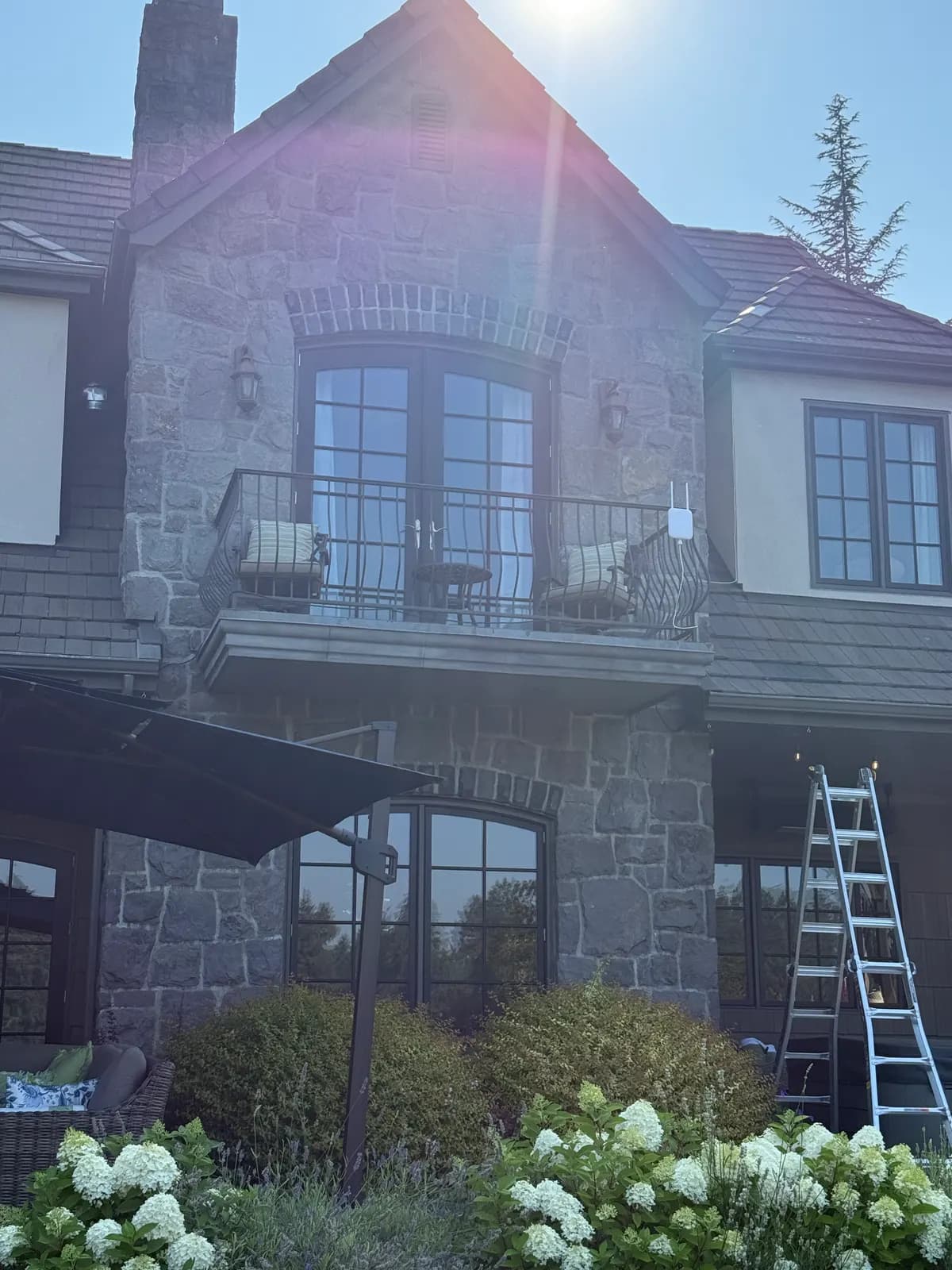
In August 2026 we got Wi-Fi out to the Barretts' dock on the Willamette River in Lake Oswego, across the lawn and the road from the house. A UniFi outdoor access point on the front balcony looks down to the dock, about 200 feet away. A new cable from the network closet carries its data and its power (PoE), through an outdoor surge protector, and a UniFi Cloud Gateway Max runs the network. We also mounted two cameras by the dock, one of them solar-powered.
We quoted $2,546.12, at that job's rates of $200 to mount a device and $100 to set one up. A second dock camera was added during the job, and the final invoice came to $2,846.12: the cable run, mounting the access point and the two cameras, setting up four devices, the gateway and the access point with their parts, and miscellaneous parts and tool use. The cameras themselves aren't on the invoice.
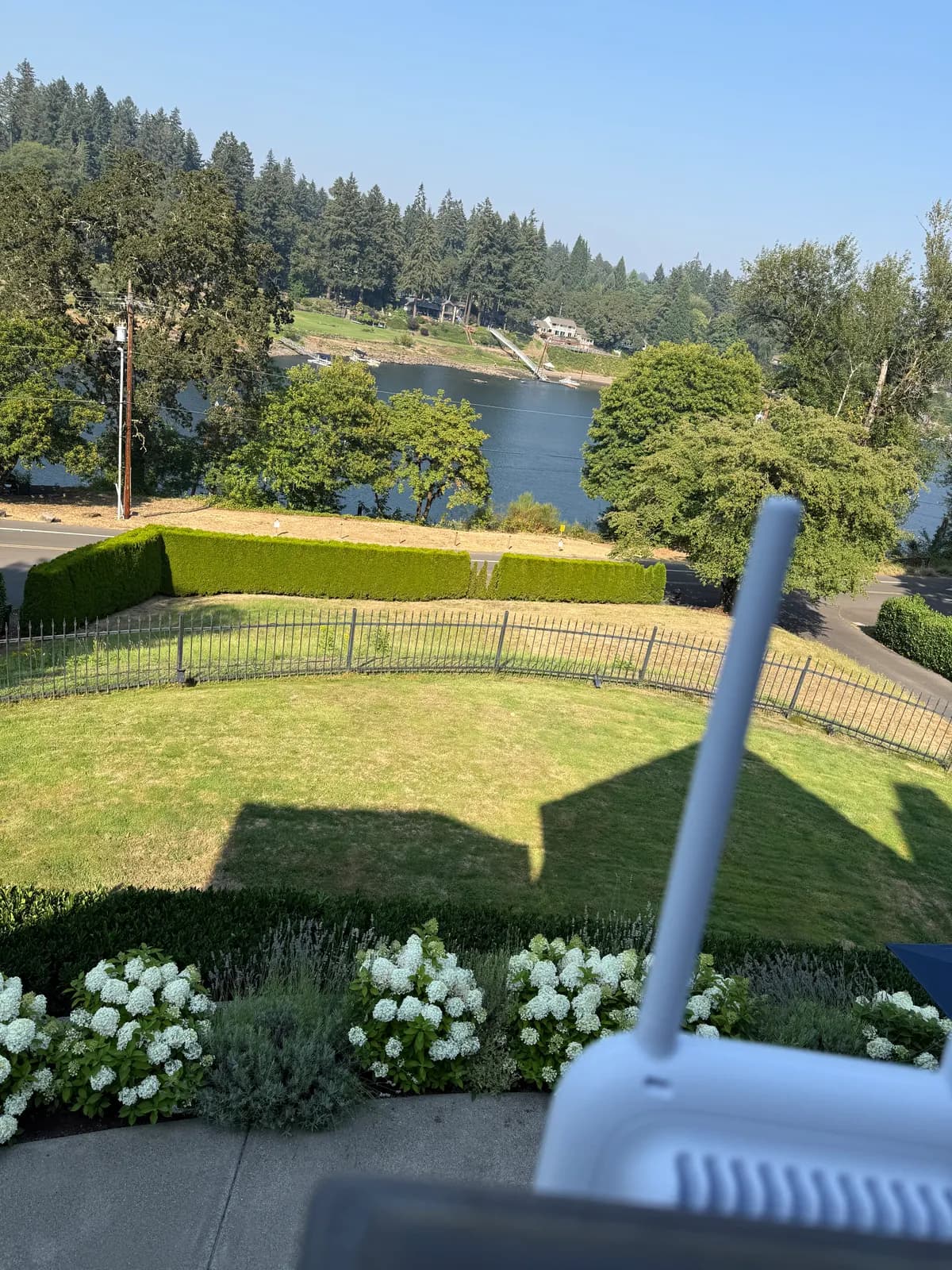
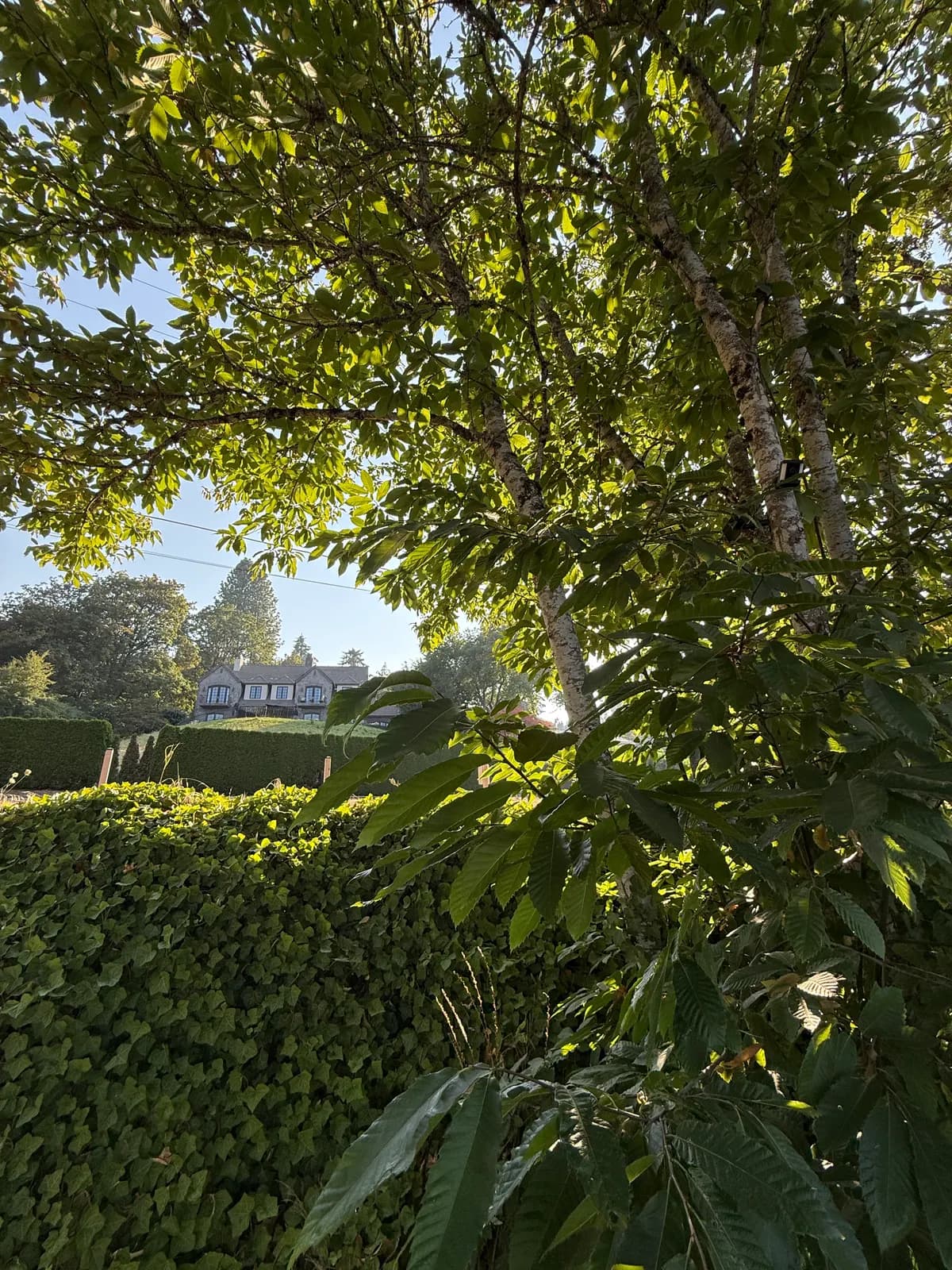
Mike Barrett's review calls it point-to-point Wi-Fi; here, that's the one access point on the house.
“Excellent work setting up a point to point WiFi and camera setup to watch the furthest end of our property. On time and very affordable.”
See the dock project: every photo, the parts and the line-by-line price
Separate Networks (VLANs) and VPN Access
The UniFi gateway is also the firewall. We set up separate networks (VLANs) for smart-home devices and for guests, and on request one for work and one for personal use. That keeps a work laptop apart from the family's devices, and smart-home gadgets and visitors' phones off the network your computers use. We also set up VPN access, so you can reach your home network when you're away.
Planning the Coverage: WiFiman Surveys and Floor-Plan Maps
The first walkthrough is free. We walk the house with you, talk through where the Wi-Fi drops off and where cable could run, and recommend what to do. For a closer look, a paid visit can include a site survey with Ubiquiti's WiFiman app, which measures the signal. If you have a floor plan, we can also draw the planned coverage on it.
UniFi or eero, and the Other Brands We Install
We install both. eero is a mesh system built to be simple: it runs from a phone app, and its units usually sit on a shelf and pass your data to each other over the air, though they can be wired. UniFi access points are made to mount on ceilings and walls and to run on a cable back to the network, though they can link over the air where a cable can't reach, and UniFi has more settings to control.
Every wireless hop between mesh units costs speed, so in a big or multi-level house, or where the Wi-Fi has to reach outside, wired access points usually give the most reliable Wi-Fi. Where the cable can't go in, or the budget calls for it, we quote an eero mesh system too, so you can compare. An eero node is the node itself plus $99 to set it up; when one node is the whole job, the labor is our standard $399 service call.
We also install Ruckus, Aruba and Netgear equipment. After the walkthrough, we recommend the system that fits the house.
One house quoted three ways in October 2026, mesh against wired access points: Mesh vs Access Points for a Large House.
Hiring a UniFi Installer or Doing It Yourself
UniFi is made to be set up from its app, and a confident owner can do much of it. The parts that are hard to get right, and hard to undo, are mostly physical:
- Getting cable through finished walls, floors and attics, and terminating and testing each run.
- Putting each access point where the coverage is needed. With PoE, it doesn't need an outlet nearby.
- Mounting outdoor access points, with surge protection on the cable.
- Setting up the separate networks and VPN access.
- The permit. A licensed low-voltage or electrical contractor can cover a typical Ethernet job in an existing Oregon house, up to 10 new jacks or access points, with an electrical minor label, and we take care of the label or permit on our jobs. If you're wiring it yourself, ask your city or county building department first.
A Velara UniFi install covers all of it: the cable, the mounting, setting up every device and the networks, and checking the signal once it's in. If you'd rather set up the network yourself, we'll do just the cable and the mounting.
UniFi Installation Cost in Portland
Apart from the free walkthrough and our standard rates, these prices come from Velara's own 2026 UniFi jobs around Portland. Your home gets a fixed-price quote after the walkthrough, usually with a few options side by side.
| Item | Price |
|---|---|
| First walkthrough: we walk the house with you, talk through where the Wi-Fi drops off and where cable could run, and recommend what to do | Free |
| Service call, our standard rate: hands-on troubleshooting (travel and the first two hours) | $399 |
| One new Cat6 cable run, up to 300 feet, with the wall jack and faceplate, the patch-panel connection and an end-to-end test | $499 per run |
| Mounting each access point or other device on a job | $99 per device |
| Setting up each device on the network | $99 per device |
| Wi-Fi out to a dock in Lake Oswego, August 2026, at that job's rates ($200 to mount each device, $100 to set each one up): a UniFi Cloud Gateway Max, a UniFi outdoor access point and its cable run, plus mounting and setting up two dock cameras (the cameras themselves not included) | $2,846 |
| Whole-home UniFi Wi-Fi 7 in the SW Portland hills, April 2026: four access points, a gateway, four new Cat6 runs and two wall jacks, at early-2026 rates | $4,116 |
| Velara Care support plan, month to month (covers up to 4 cameras and 12 other devices; more devices cost extra) | From $99 a month |
A wired access point is priced as the access point itself, plus $499 for its Cat6 run, $99 to mount it and $99 to set it up, and the whole network needs one gateway. A run over 300 feet costs more, and an outdoor access point also needs a surge protector on its cable.
How a UniFi Install Runs
- Free walkthrough. We walk the house with you, talk through where the Wi-Fi drops off and where cable could run, and recommend what to do.
- Fixed-price quote. Usually with a few options side by side.
- Install. We run and test the cable, mount the access points and set up the gateway, the networks and every device. Most networking jobs take 1 to 2 days.
- Test. We check the signal around the house and outside, where you need it.
- Support. Labor carries a 90-day warranty. We offer remote help sessions, and Velara Care, our support plan, starts at $99 a month, month to month.
UniFi Installation FAQs
Is UniFi the same as Ubiquiti?
Not quite. Ubiquiti Inc. is the company, and UniFi is its product line for homes and businesses, which includes the gateways, switches and Wi-Fi access points we install, all run from the UniFi app. Ubiquiti also makes UISP equipment for internet providers. So when someone looks for a Ubiquiti installer for a house, it's usually UniFi they need.
Who installs UniFi Wi-Fi for homes in Portland?
Velara does. We're a licensed, bonded and insured low-voltage installer based in Clackamas, working across the Portland metro, usually within 25 miles of Clackamas and often up to about 50 (Oregon CCB #256333, CLE #771). Most of the networks we install run on UniFi, including whole-home Wi-Fi 7 in the SW Portland hills and Wi-Fi out to a dock in Lake Oswego. We work mostly in homes, and we do commercial work too, offices included. We were founded in 2024 and have completed 130+ jobs since, and Izaac, the owner, has been installing professionally since 2020. We work Monday to Friday, 9 to 5, and usually reply within 24 hours.
How much does it cost to have UniFi installed?
It depends on how many access points the house needs and how far the cable has to run. A new Cat6 run is $499 for up to 300 feet, with the jack, the patch-panel connection and an end-to-end test included, and a longer run costs more. A wired access point is the access point itself, plus $499 for its run, $99 to mount it and $99 to set it up, and the whole network needs one gateway. Two finished UniFi jobs: Wi-Fi out to a Lake Oswego dock, with a UniFi Cloud Gateway Max and an outdoor access point, came to $2,846 at that job's August 2026 rates ($200 to mount each device and $100 to set each one up), including mounting and setting up two cameras (the cameras themselves weren't on the invoice). Whole-home Wi-Fi 7 in an older SW Portland house, with four access points, a gateway and four new Cat6 runs, came to $4,116.42 at early-2026 rates. The first walkthrough is free.
How long does a UniFi installation take?
Most of our networking jobs take 1 to 2 days, including ones with about four access points and a few cameras. The SW Portland hills job on this page, with four access points and four new cable runs, took two days.
Can you install UniFi gear I already bought?
Yes. We'd still rather supply the gear ourselves: if anything goes wrong with a unit we supplied, we handle the warranty return with the manufacturer (the RMA), so you don't have to deal with that hassle.
Will you just run the cable and mount the access points if I set up UniFi myself?
Yes, we do cable-and-mount-only jobs: we run the cable and mount the access points, and you set up the network. A Cat6 run is $499 for up to 300 feet, with the wall jack, the patch-panel connection and an end-to-end test included, and mounting is $99 per device.
Should I get UniFi or eero?
It depends on the house, and we install both. eero is a mesh system built to be simple: its units usually sit on a shelf and pass your data to each other over the air, though they can be wired. UniFi is a line of separate gateways, switches and access points; the access points are made to mount on ceilings and walls, each usually on its own cable back to the network, and UniFi has more settings to control. In a big or multi-level house, or where the Wi-Fi has to reach outside, wired access points usually give the most reliable Wi-Fi. Where the cable can't go in, or the budget calls for it, we quote an eero mesh system too.
Can you set up separate networks for work, guests and smart-home devices?
Yes. We set up separate networks (VLANs) for smart-home devices and for guests, and on request one for work and one for personal use, so a work laptop stays apart from the family's devices. We also set up VPN access, so you can reach your home network when you're away.
Do you do a site survey before installing UniFi?
The first walkthrough is free and gives you our recommendations: we walk the house with you and talk through where the Wi-Fi drops off and where cable could run. A site survey with Ubiquiti's WiFiman app, which measures the signal, comes on a paid visit. If you have a floor plan, we can also draw the planned coverage on it.
Can UniFi Wi-Fi reach a dock, detached garage or guest house?
Usually. The most reliable link is a cable, or fiber, out to an access point inside the building; we run the cable, and for a buried run you'd hire someone for the digging. Without one, an outdoor access point on the house can cover a dock or yard it can see: at the Barretts' in Lake Oswego, a UniFi outdoor access point on the front balcony carries the Wi-Fi to their dock, about 200 feet away. A pair of bridge radios can link a building farther off over the air, and that building gets its own access point, because bridge radios don't make Wi-Fi. One full bridge setup we quoted in October 2026 was about $2,560: the pair of bridge radios mounted outside, an access point on the far building's wall, two cable runs, surge protection and PoE adapters, and a new router for that home. The right setup depends on the distance and what's in between.
Do you install Ruckus or Aruba?
Yes. Along with UniFi, we install Ruckus, Aruba and Netgear equipment, and eero mesh systems. After the walkthrough, we recommend the system that fits the house.
Do you support the network after the install?
Yes. Labor carries a 90-day warranty. Call us when something changes, book a remote help session, or join Velara Care, our support plan, from $99 a month, month to month. For new clients, the $99 covers up to 4 cameras and 12 other smart devices; more cost extra.
Book a Free Walkthrough
Tell us about the house and where the Wi-Fi has to reach. We work Monday to Friday, 9 to 5, and usually reply within 24 hours.
More on Home Networking
- Home network installation in Portland
- Home network & Wi-Fi installation in Lake Oswego
- Home network installation in West Linn
- Extending Wi-Fi to a detached garage, shop or guest house
- Velara projects
UniFi is a trademark of Ubiquiti Inc.

Luxury simplified: Velara offers cutting-edge Home Automation, AV Systems, Security integrations, and seamless Networking.
